Attma Logo
    Attma Flow
    • Data & governance

      • DataOrganize, find, and share research files with version history.
      • RegistryBuild sample sheets that link lab records to their sequencing files.
      • CuratePrepare reviewed single-cell datasets for your workspace catalog.
      • WardSet workspace protection and define permitted uses for file versions.

      Analysis & review

      • WorkflowsRun installed pipelines with versioned inputs and reviewable results.
      • PodsStart a browser-based compute environment for interactive analysis.
      • PlotsTurn workspace data into interactive charts, notebooks, and Apps.
      • ClinicalReview variant evidence and sign versioned research reports.

      Workspace & connections

      • AgentsAsk about your workspace and follow answers back to their sources.
      • WorkspacesOrganize your team’s projects and manage who can use them.
      • IntegrationsConnect approved lab systems, storage, and warehouse sources.
      Platform overview
    • Clinical
    • Agents
    • Science
    • Pricing
    Research agentLog inGet started
    Explore the platform
    Attma Agents

    Ask your workspace. Open the source.

    Find the file, sample record, workflow run, or notebook behind a research question. Start with a plain-language question and follow the answer into the workspace.

    Book a demo Sign in to open Agents
    app.attma.bio/ai/agents
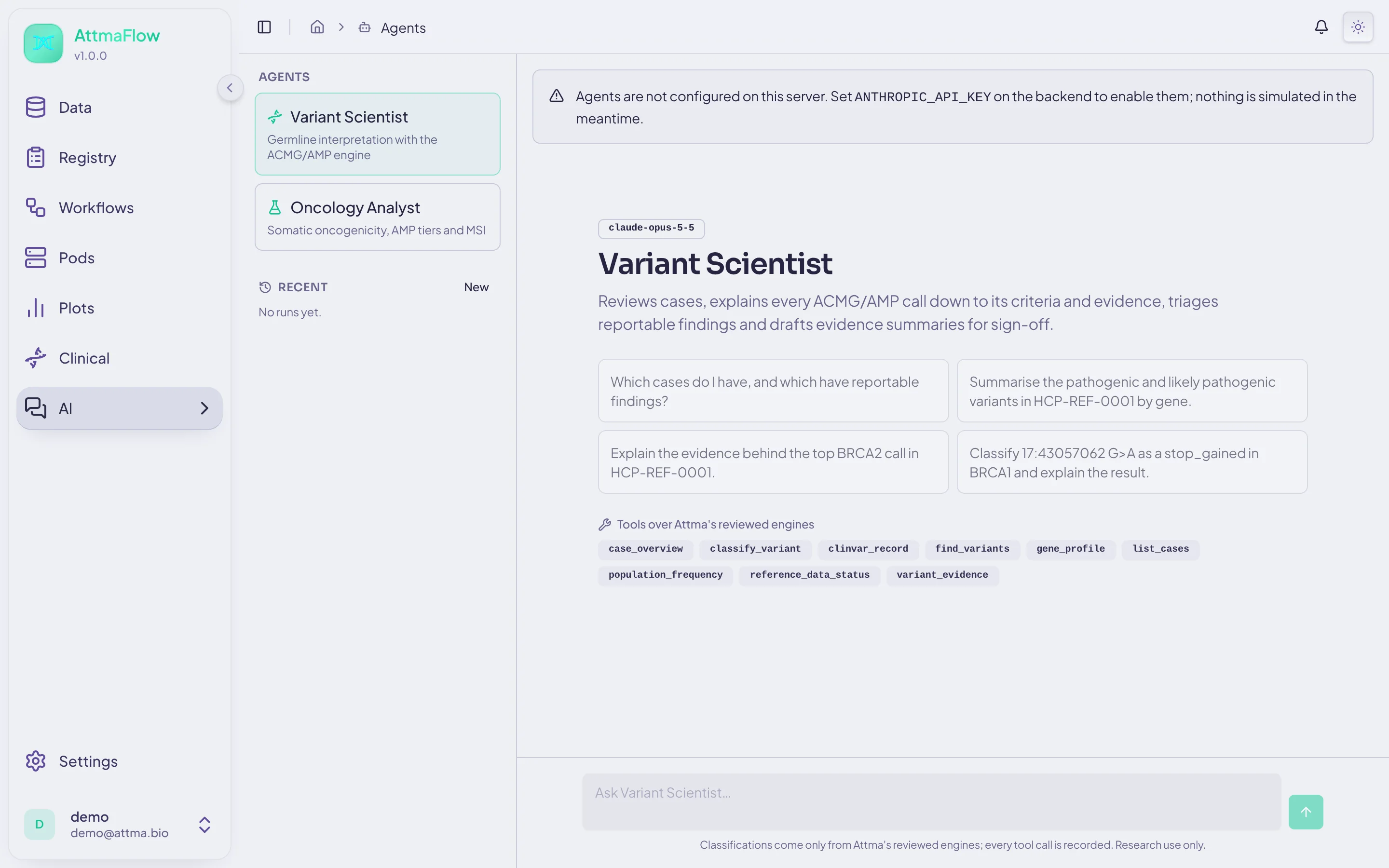
    Attma agents console with the Variant Scientist and its tools
    • Look across your workspace from one question

      Ask an assistant to locate permitted files, tables, runs, notebooks, Pods, or reviewed datasets.

    • Go straight to the source

      Follow source links to the relevant files, records, or runs. Check the evidence alongside the answer.

    • Keep decisions with the team

      Review proposed actions and apply them with the normal controls in Data, Registry, Workflows, or the relevant product.

    Assistants depend on provider and workspace settings. Protected workspaces restrict covered hosted AI.

    Example workflow

    Find the result a colleague mentioned

    1. Ask about the run

      Name the experiment or workflow in the workspace you’re using.

    2. Check the reference

      Follow the source link to a run you have permission to see.

    3. Review the result

      Open the inputs and available results in Workflows.

    Go from a question to the run record and inspect the result where it lives.

    Where Agents fits

    • Attma WorkflowsCheck the status, inputs, and outputs behind a cited run.
    • Attma WardSee how protected workspaces restrict covered hosted AI.

    See how an assistant finds and cites a result

    Book a demo Read the Agents guide
    Attma Logo
    Attma Flow

    A shared workspace for genomics research, analysis, and evidence review.

    martin@attma.bio

    Platform

    • Clinical
    • Agents
    • Data
    • Platform overview

    Company

    • Science
    • Pricing
    • Book a demo

    Account

    • Sign in
    • Create account
    Resources
    • Product guides
    • Developer quickstart
    • Frequently asked questions
    • Privacy Policy
    • Notice to European Users
    • Terms of Service

    © 2026 Attma Flow. All rights reserved.

    Attma supports research and laboratory workflows. Interpretations require review and sign-off by a qualified clinical scientist.