Attma Logo
    Attma Flow
    • Data & governance

      • DataOrganize, find, and share research files with version history.
      • RegistryBuild sample sheets that link lab records to their sequencing files.
      • CuratePrepare reviewed single-cell datasets for your workspace catalog.
      • WardSet workspace protection and define permitted uses for file versions.

      Analysis & review

      • WorkflowsRun installed pipelines with versioned inputs and reviewable results.
      • PodsStart a browser-based compute environment for interactive analysis.
      • PlotsTurn workspace data into interactive charts, notebooks, and Apps.
      • ClinicalReview variant evidence and sign versioned research reports.

      Workspace & connections

      • AgentsAsk about your workspace and follow answers back to their sources.
      • WorkspacesOrganize your team’s projects and manage who can use them.
      • IntegrationsConnect approved lab systems, storage, and warehouse sources.
      Platform overview
    • Clinical
    • Agents
    • Science
    • Pricing
    Research agentLog inGet started
    Explore the platform
    Attma Registry

    Make the sample sheet part of the analysis.

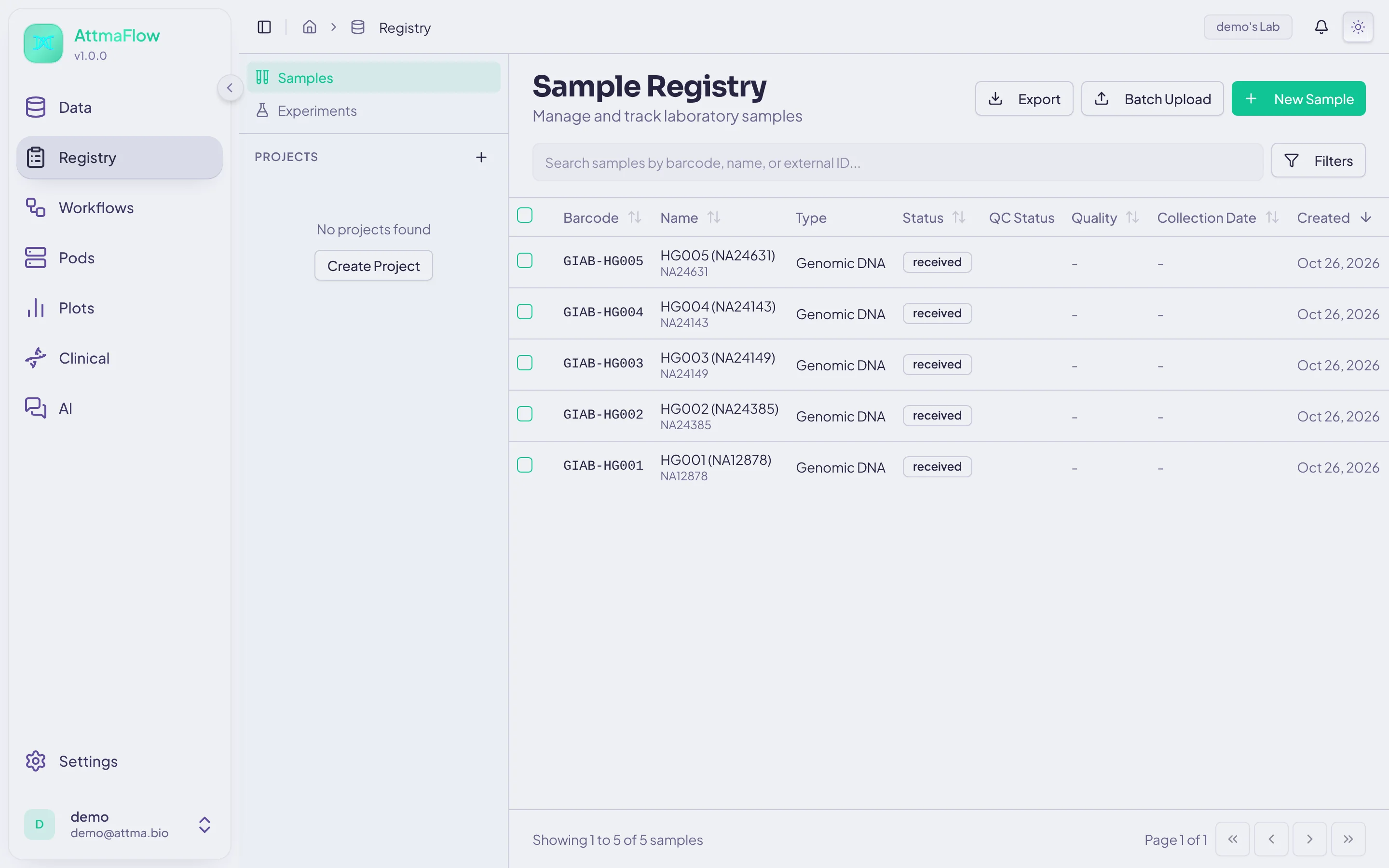
    Bring sample IDs, conditions, and sequencing reads together in typed, linked tables. Give the lab and analysis teams the same records to review before a run.

    Book a demo Sign in to open Registry
    app.attma.bio/registry/samples
    Attma sample registry with barcodes, sample types and QC status
    • Keep sample records consistent

      Use typed columns, validation, and a record history to keep sample metadata consistent as multiple people update it.

    • Bring existing sheets forward

      Map existing CSV or TSV columns. Resolve validation errors in the preview, and match linked-record values to names in related tables.

    • Connect samples to their reads

      Group FASTQ files by sample name, confirm which reads belong together, and link files across lanes to the sample rows.

    Example workflow

    Turn a sequencing folder into a sample sheet

    1. Import your metadata

      Map CSV or TSV columns and review which field identifies each sample.

    2. Group the reads

      Preview FASTQ groups from Data and adjust how sample names are parsed.

    3. Review the links

      Confirm the file columns and affected rows before applying the changes.

    The analyst gets the sample metadata and linked files together, with a history of edits.

    Where Registry fits

    • Attma DataStore the reads and references behind your records.
    • Attma PlotsExplore a Registry table in a chart or notebook.

    See what your lab’s sample sheet could become

    Book a demo Read the Registry guide
    Attma Logo
    Attma Flow

    A shared workspace for genomics research, analysis, and evidence review.

    martin@attma.bio

    Platform

    • Clinical
    • Agents
    • Data
    • Platform overview

    Company

    • Science
    • Pricing
    • Book a demo

    Account

    • Sign in
    • Create account
    Resources
    • Product guides
    • Developer quickstart
    • Frequently asked questions
    • Privacy Policy
    • Notice to European Users
    • Terms of Service

    © 2026 Attma Flow. All rights reserved.

    Attma supports research and laboratory workflows. Interpretations require review and sign-off by a qualified clinical scientist.