Attma Logo
    Attma Flow
    • Data & governance

      • DataOrganize, find, and share research files with version history.
      • RegistryBuild sample sheets that link lab records to their sequencing files.
      • CuratePrepare reviewed single-cell datasets for your workspace catalog.
      • WardSet workspace protection and define permitted uses for file versions.

      Analysis & review

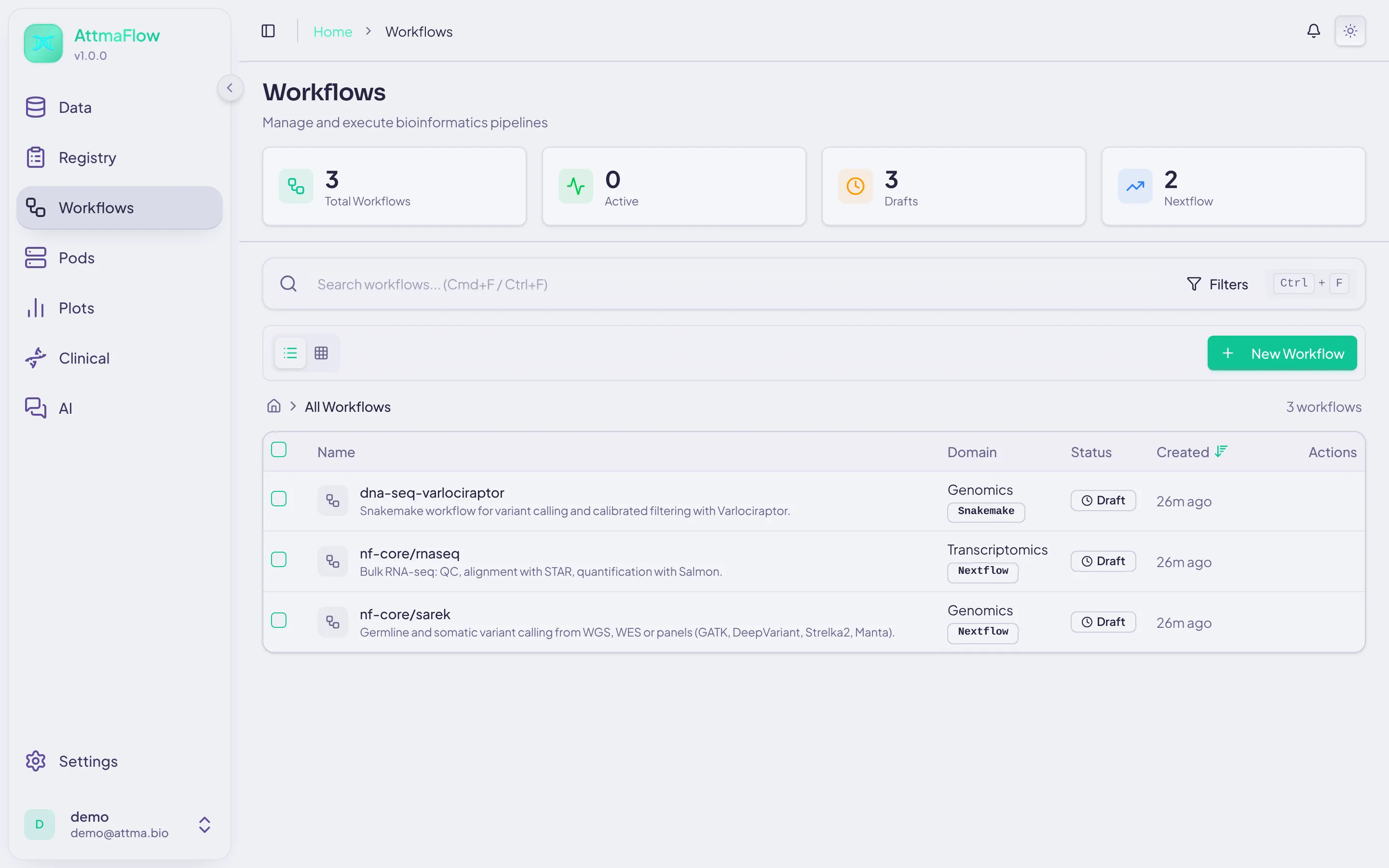
      • WorkflowsRun installed pipelines with versioned inputs and reviewable results.
      • PodsStart a browser-based compute environment for interactive analysis.
      • PlotsTurn workspace data into interactive charts, notebooks, and Apps.
      • ClinicalReview variant evidence and sign versioned research reports.

      Workspace & connections

      • AgentsAsk about your workspace and follow answers back to their sources.
      • WorkspacesOrganize your team’s projects and manage who can use them.
      • IntegrationsConnect approved lab systems, storage, and warehouse sources.
      Platform overview
    • Clinical
    • Agents
    • Science
    • Pricing
    Research agentLog inGet started
    Explore the platform
    Attma Workflows

    Run an analysis you can repeat and explain.

    Give researchers a clear launch form for installed pipelines. Review parameters and file versions up front, then use the run record to find inputs, messages, and results.

    Book a demo Sign in to open Workflows
    app.attma.bio/workflows
    Attma workflows list with versioned Nextflow and Snakemake pipelines
    • Make a good run easy to start

      Use typed parameters and saved launch plans where available. Confirm the selected workflow and Data versions before submitting.

    • Make the result easy to trace

      Check execution status, messages, and results in one run record. Review the original inputs when preparing a rerun.

    • Take recurring runs off the calendar

      Use an interval or a Data folder trigger for an installed workflow that supports automation.

    Nextflow, Snakemake, and SDK workflows depend on the runners and definitions installed for your environment.

    Example workflow

    Go from expression counts to a reviewable comparison

    1. Choose the inputs

      Select a raw count matrix and matching design in an installed DESeq2 workflow.

    2. Review the launch

      Confirm the condition contrast and exact file versions before submission.

    3. Explore the contrast

      Open the results and use the contrast file in Plots.

    The team has a named comparison and can check which counts and design it came from.

    Where Workflows fits

    • Attma DataFind the input files and preserve their versions.
    • Attma PlotsTurn a result table into an interactive view.

    Walk through a run your team repeats

    Book a demo Read the Workflows guide
    Attma Logo
    Attma Flow

    A shared workspace for genomics research, analysis, and evidence review.

    martin@attma.bio

    Platform

    • Clinical
    • Agents
    • Data
    • Platform overview

    Company

    • Science
    • Pricing
    • Book a demo

    Account

    • Sign in
    • Create account
    Resources
    • Product guides
    • Developer quickstart
    • Frequently asked questions
    • Privacy Policy
    • Notice to European Users
    • Terms of Service

    © 2026 Attma Flow. All rights reserved.

    Attma supports research and laboratory workflows. Interpretations require review and sign-off by a qualified clinical scientist.